
How to make payments to Resort Leaders with your US account
To make your payment you will need your account number and routing number.
Important: If you are making a payment via Wise please read this article.
Before you start: choose the faster option
When making your payment, you will be asked to select your bank. If your bank appears in the list, always select it. This is faster, easier, and means your payment can be processed straight away.
If you select Enter bank details manually instead, your bank account will need to be verified by Stripe before your payment can go through. This takes 1–3 working days. Read the verification section below before choosing this option.
How to make a payment:
Please note: US bank account payments can take 5-7 business days to process, so don't worry if the payment doesn't appear in your Resort Leaders payment section right away. It will show in the 'Pending Transaction' section until the payment clears and your balance owed updates.
Log in to your Resort Leaders profile and navigate to the payment section
Make sure you are on the 'On Program Payments' tab
Click 'Make a Payment' and enter the amount you wish to pay then click 'Next'
Enter your email address and name
Select your bank from the available options or click 'Enter bank details manually' if it does not.
Follow the steps shown to authorise your payment
You may be asked if you want to save your details with an email address and phone number (you can choose to save or skip)
Review and confirm your payment
You will receive an email from Stripe confirming a direct debit authorization for Smaller Earth USA.
Manual payments: bank account verification
If you enter your bank details manually, Stripe needs to verify your account before your payment can be completed. Here is what to expect:
Step 1 — Wait for the micro deposit (1–3 working days)
Stripe will send a small test deposit of $0.01 to your bank account. This can take between 1 and 3 working days to appear. You cannot complete your payment until this deposit arrives — this wait is normal, so do not attempt to pay again in the meantime.
Step 2 — Wait for your email from Stripe
Once the micro deposit has been made (1–3 working days), Stripe will send you an email with the subject line: "Verify your bank account for Smaller Earth USA". There is nothing you need to do until this email arrives.
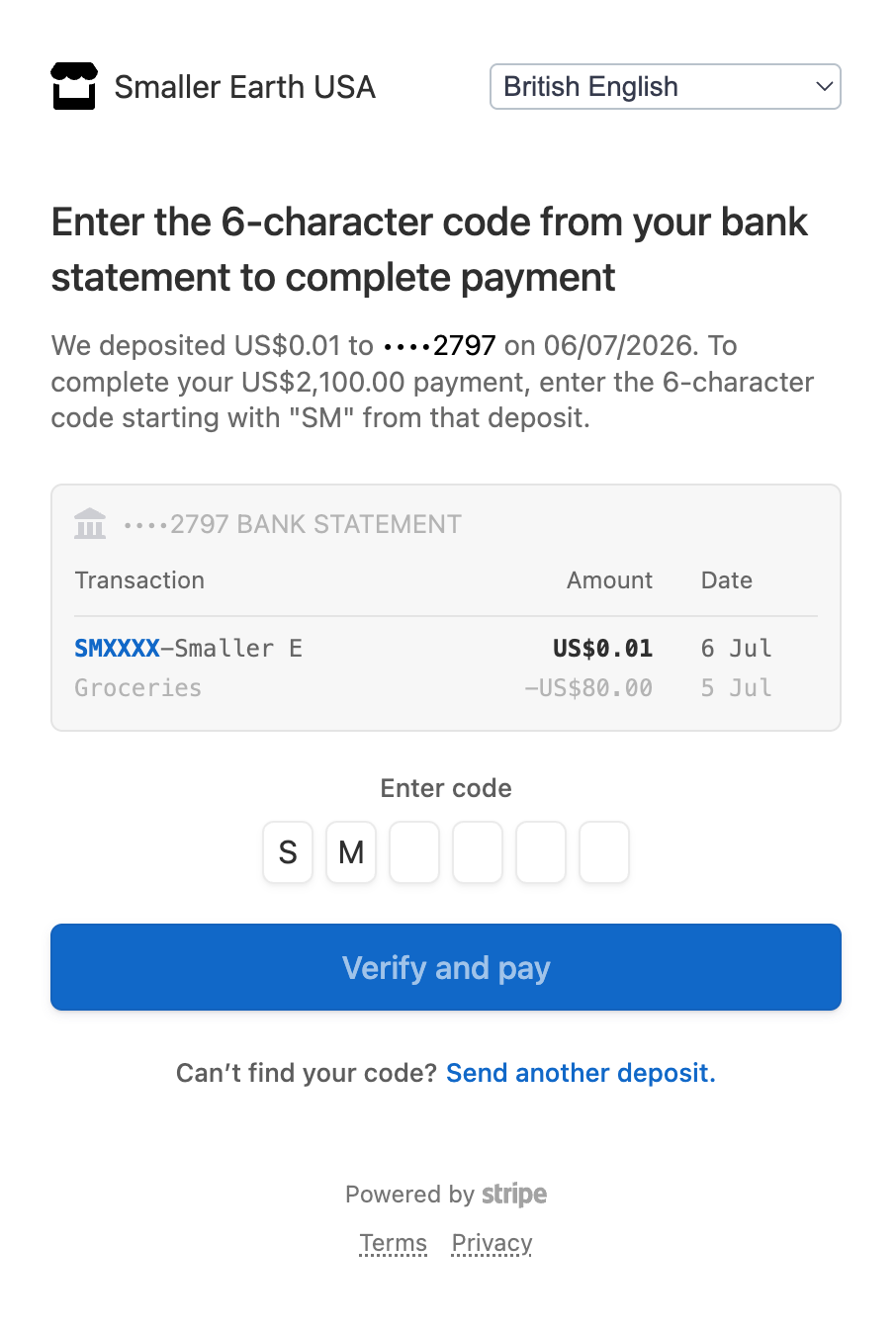
Step 3 — Enter the verification code
Follow the instructions in the email and enter the six-digit code from the deposit transaction.
Step 4 — Make your payment
Once your account is verified, your payment to Resort Leaders will proceed as normal.
Stripe is a trusted global payment processor used by businesses worldwide. Your payment information is kept secure throughout this process.